
See Every Route, Every Tech, Every Risk - In Real Time
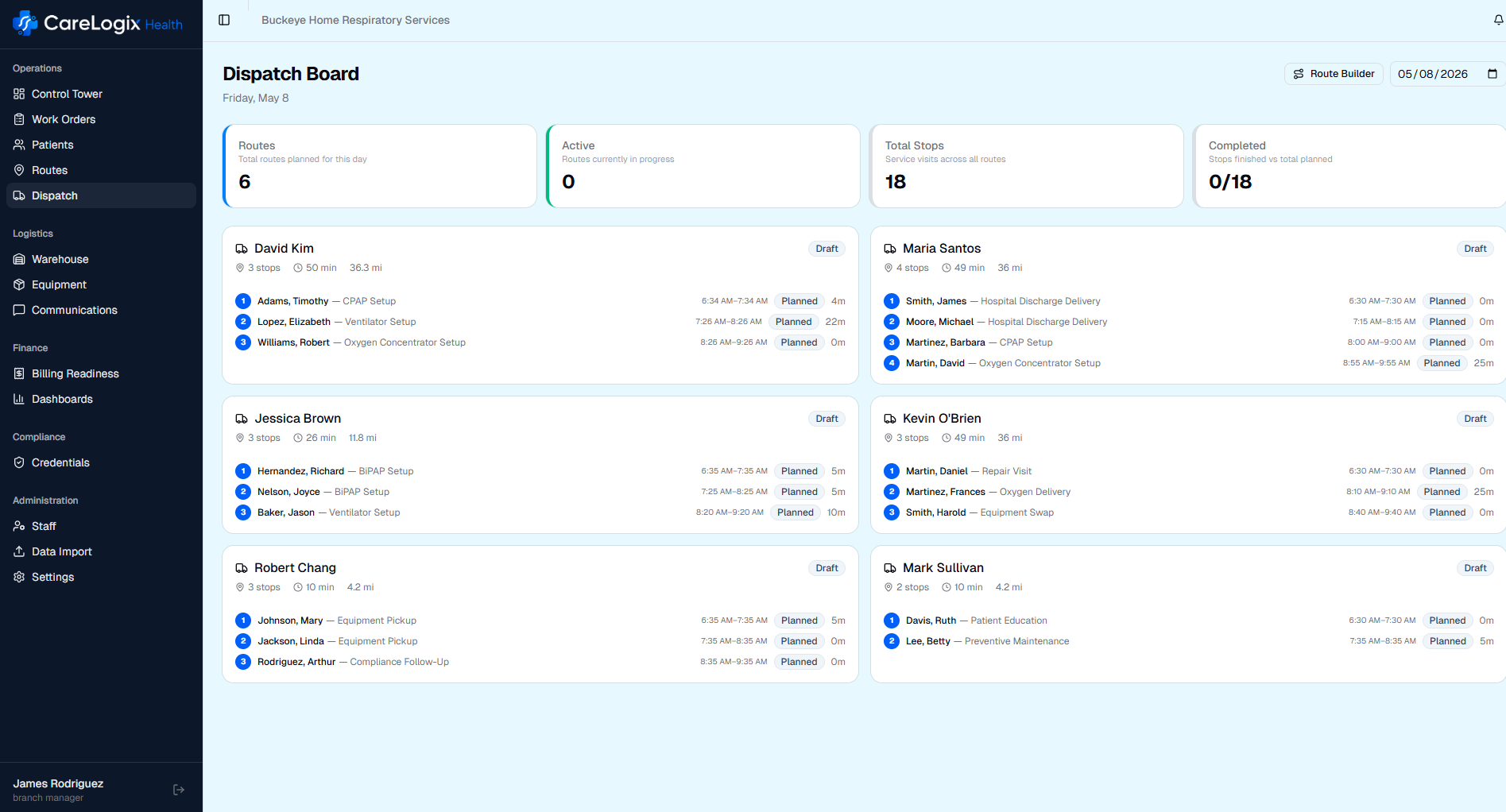
Branch managers and dispatchers need to know what is happening in the field right now, not at the end of the day when it is too late to fix anything. CareLogix dispatch gives you a real-time map of every route, every technician, and every stop with road-level visualization, color-coded legs, arrival windows, and disruption alerts.
You Are Blind Until End of Day, and It Is Costing You
In most DME operations, the dispatch workflow looks like this: routes go out in the morning, and nobody knows what actually happened until technicians return or call in. A missed stop, a failed delivery, a late tech: you find out at 5pm when nothing can be fixed, the patient is frustrated, and the billable visit is lost.
When disruptions happen, and they happen every day, the response is reactive. A tech calls in sick and their stops sit unserved until someone notices. A patient is not home and the tech decides on the fly what to do next. A complex setup takes twice as long as expected, pushing every downstream stop past its window.
Without real-time visibility, dispatchers cannot intervene. They cannot reassign stops to nearby techs. They cannot notify patients of delays. They cannot triage which at-risk stops matter most. Every day, preventable failures become actual failures because the information arrived too late.
How It Works
- 1
View All Routes on the Map
Every active route displays on a real map with actual road paths, not straight lines between dots. Color-coded legs distinguish between technicians and visit types at a glance.
- 2
Track Stops in Real Time
Each stop shows its current status: upcoming, in progress, completed, skipped, or at risk. Stop-by-stop itineraries include arrival windows, visit duration estimates, and turn-by-turn directions.
- 3
See Arrival Windows
Arrival windows are calculated from real road data and updated as the day progresses. When a tech runs long at one stop, downstream windows adjust automatically and at-risk stops are flagged.
- 4
Handle Disruptions
When a disruption occurs (tech out, patient not home, equipment issue), dispatchers see the impact immediately and can reassign stops, adjust routes, or notify patients from the dispatch board.
- 5
Monitor Completion
End-of-day visibility is replaced by continuous monitoring. Completion percentages, on-time rates, and revenue-at-risk metrics update throughout the day, not after it.
Key Capabilities
ROI Impact
Know what's at risk before it fails, not at 5pm
Connected Workflow
This module works hand-in-hand with the rest of CareLogix.
Route Planning
AI-planned routes flow into the dispatch board with full road-level detail, arrival windows, and stop itineraries ready for execution.
Learn morePatient Communications
En-route ETAs and delay notifications are sent automatically to patients based on real-time dispatch status.
Learn moreBilling Readiness
Completed stops trigger same-day billing readiness evaluation, so revenue at risk is flagged before the tech reaches their next stop.
Learn moreStop Flying Blind. Start Dispatching With Confidence.
See how CareLogix transforms your operation in a 30-minute walkthrough.